







ThinkPad vs EliteBook vs Latitude — Which Pre-Owned Business Laptop Is Best?

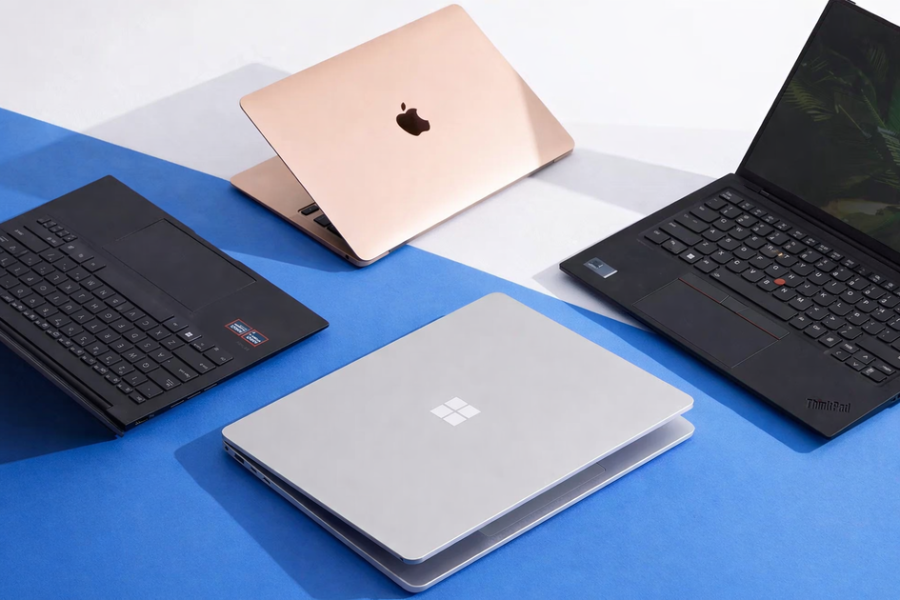
Lenovo ThinkPad, HP EliteBook and Dell Latitude are the three pillars of the pre-owned business-laptop market — and for good reason. All three were engineered for years of daily corporate use: durable chassis, comfortable keyboards, easy servicing, and strong security features. If you’re buying a tested, imported business laptop in Egypt, you’re almost certainly choosing between these three. This page breaks down how they actually differ so you can pick with confidence.
The honest headline: all three are excellent, and the specific unit’s CPU/RAM/SSD and price often matter more than the badge. But each line has a character, and this guide will tell you which suits you.
The quick answer
- ThinkPad — best keyboard, best durability, developer/Linux favourite. Pick it if you type all day or want maximum ruggedness.
- EliteBook — most premium look and display, quiet and refined. Pick it if you want a sleek, professional machine and a great screen.
- Latitude — most serviceable and widely supported, great value. Pick it if easy upgrades and dependable all-round value matter most.
Head-to-head
| Lenovo ThinkPad | HP EliteBook | Dell Latitude | |
|---|---|---|---|
| Keyboard | Best-in-class (developer favourite) | Excellent | Very good |
| Build / durability | Rugged, MIL-spec heritage | Premium metal, sleek | Solid, practical |
| Display | Good (matte, work-focused) | Often the best panels | Good |
| Serviceability / upgrades | Very good | Good | Excellent — easy RAM/SSD |
| Design / looks | Understated, classic | Most premium | Business-plain |
| Trackpoint (red nub) | Iconic | Some models | Some models |
| Best for | Coders, heavy typists, durability | Design-conscious pros, great screen | Value, easy upgrades, IT-friendly |
| Value (pre-owned, EGP) | Excellent | Excellent | Excellent |
Where each one wins
Lenovo ThinkPad — the typist’s and developer’s choice
The ThinkPad keyboard is legendary, and the machines are famously tough (many carry MIL-spec durability testing). Superb Linux compatibility and the iconic red TrackPoint make them the default pick for developers and anyone who spends the whole day typing. If reliability and comfort under heavy use are your priorities, start here.
HP EliteBook — the premium, screen-first business laptop
EliteBooks feel the most premium of the three — sleek metal builds, quiet operation, and often the best displays. A great choice if you want a laptop that looks and feels high-end while still delivering business-grade durability and security. Ideal for professionals who value aesthetics and a great screen.
Dell Latitude — the value and serviceability champion
Latitudes are the easiest to live with long-term: widely supported, with straightforward access to RAM and storage for upgrades. Dependable, practical, and excellent value, they’re a safe all-round pick for work, study and general use — and a favourite of IT departments precisely because they’re so serviceable.
How to choose — by what you do
- You code / type all day → ThinkPad (keyboard + durability).
- You want the best screen and a premium feel → EliteBook.
- You want easy upgrades and maximum value → Latitude.
- You’re a student on a budget → any of the three; buy on spec + price. See Best laptop for programming & students.
- You do light 2D CAD / need a dedicated GPU → step up to a workstation; see Best laptop for engineering.
Whichever you choose, prioritise 16 GB RAM + an NVMe SSD and verified battery health over the badge. A newer-generation Latitude can outperform an older EliteBook, and vice-versa.
Buy tested, not blind
The difference between a great business laptop and a frustrating one is condition — battery health, hinges, keyboard wear, and no BIOS/management lock. Every Olaps ThinkPad, EliteBook and Latitude is inspected on 12 points (see the inspection guide), graded A, and sold with a 1-month warranty and inspect-before-you-pay — pickup in Nasr City, Cairo (Alexandria on request), EGP pricing 30–60% below new. For current pricing by line, see the EGP price guide.
Frequently asked questions
Which is the best business laptop: ThinkPad, EliteBook, or Latitude?
All three are excellent. Choose a ThinkPad for the best keyboard and durability (ideal for coders), an EliteBook for a premium build and the best displays, or a Latitude for the easiest upgrades and strongest value. For most buyers, the specific model’s CPU/RAM/SSD and price matter more than the brand.
Is a ThinkPad better than an EliteBook for programming?
For heavy typing and development, many prefer the ThinkPad for its keyboard, durability, and Linux compatibility. The EliteBook is also a strong coding machine with a better display on many models. Both are excellent; pick based on keyboard feel, screen preference, and the exact spec.
Which business laptop is easiest to upgrade?
The Dell Latitude is generally the most serviceable, with easy access to RAM and storage — one reason IT departments favour it. ThinkPads are also very upgrade-friendly. This makes both good choices if you plan to add RAM or a larger SSD later.
Are these business laptops good for students?
Yes — all three offer durability, comfortable keyboards, and great value, making them ideal for study and coding. Aim for 16 GB RAM and an NVMe SSD, and buy a tested, warrantied unit rather than an untested private sale.
What should I prioritise when choosing between them?
Prioritise the configuration — 16 GB RAM, an NVMe SSD, a modern CPU generation, and verified battery health — over the brand badge. A newer-generation model from any of the three lines can outperform an older model from another.
Where to go next
We do not have a ThinkPad, EliteBook or Latitude in stock at the moment. Browse each line to see what is available: